Moments for iPhone and iPad
Hire from your phone, between everything else.
Moments AI searches and writes while you work. When someone needs you, you get a notification. Approve a message, answer a reply or book the call in a minute.

Scan to downloadPoint your iPhone camera at the code.
Free to download. Needs iOS 18 or later.
In short
Moments AI for iPhone and iPad is the free hiring app for founders and small teams without a recruiter. It shows who to review, who replied and which calls are booked. You approve first messages, answer candidates and book intro calls from your phone, on the same account as the web app.
Today
Start with what needs you
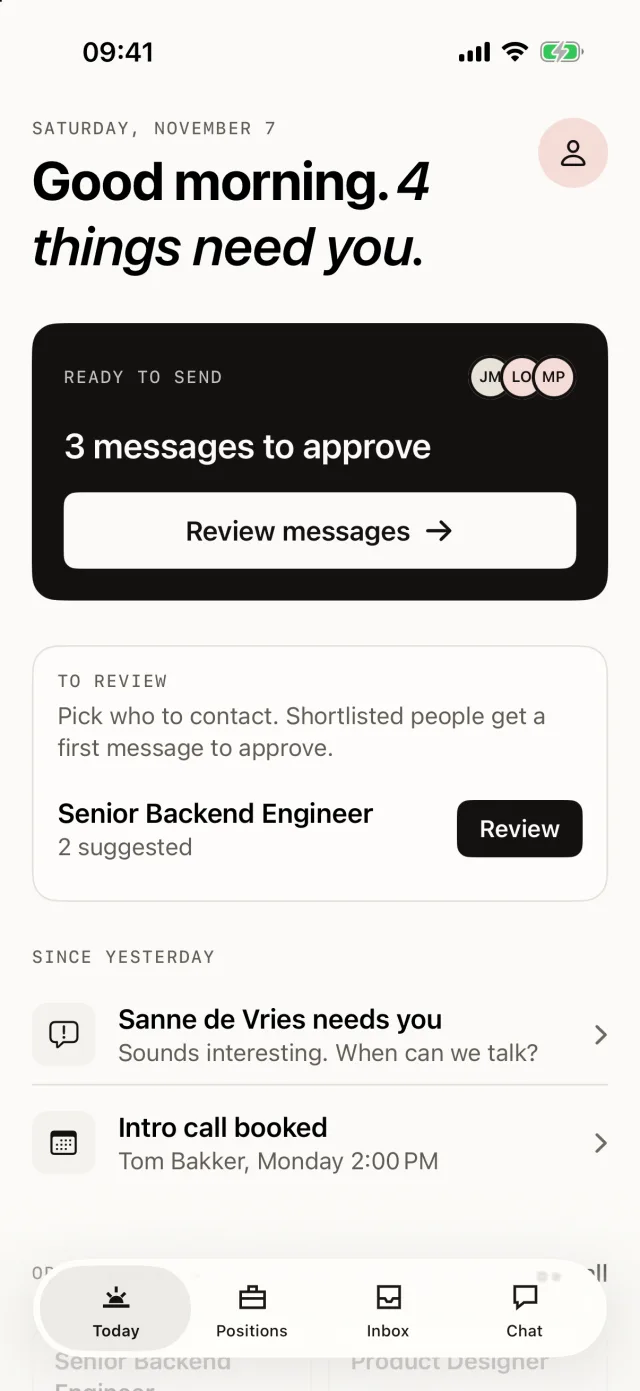
Today shows where your hiring stands: messages to approve, people to review, new replies and the calls coming up.
- Messages waiting for your approval
- Replies since yesterday
- Booked calls and open positions
First messages
Approve first messages in a tap
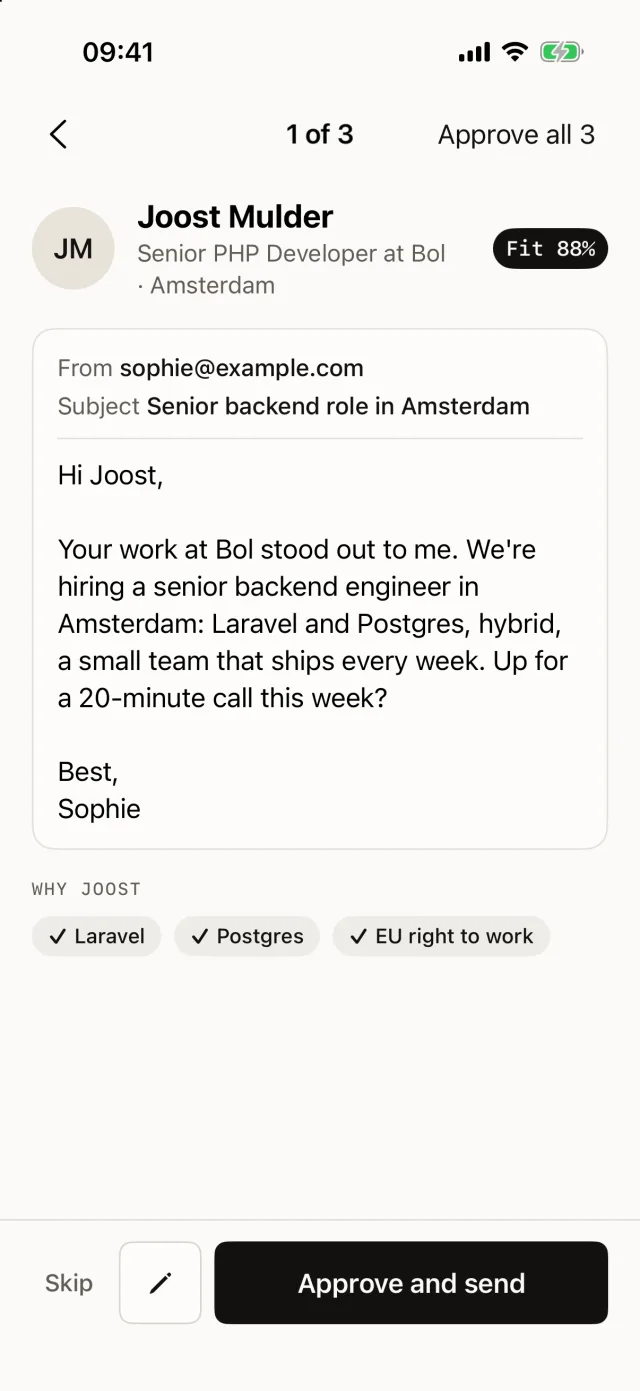
Moments AI writes a personal first message for everyone you shortlist. Read it, edit it or skip it. No first message goes out without your approval.
- Written in your tone
- Sent from your own mailbox
- See why each person fits before you send
Inbox
Replies and calls in one inbox
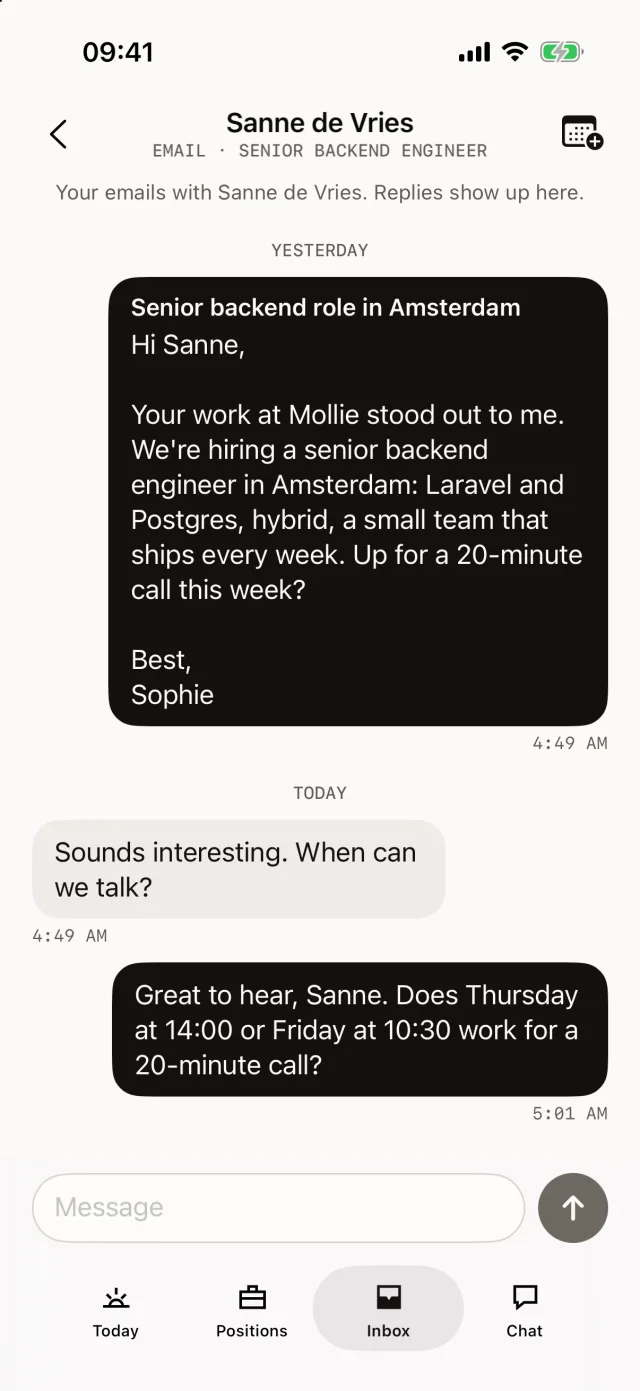
Email and WhatsApp replies land in one inbox. When someone is interested, Moments AI offers times from your calendar and books the call.
- Notifications for replies and booked calls
- Email and WhatsApp in one list
- Times from your own calendar
Fit
See why someone fits
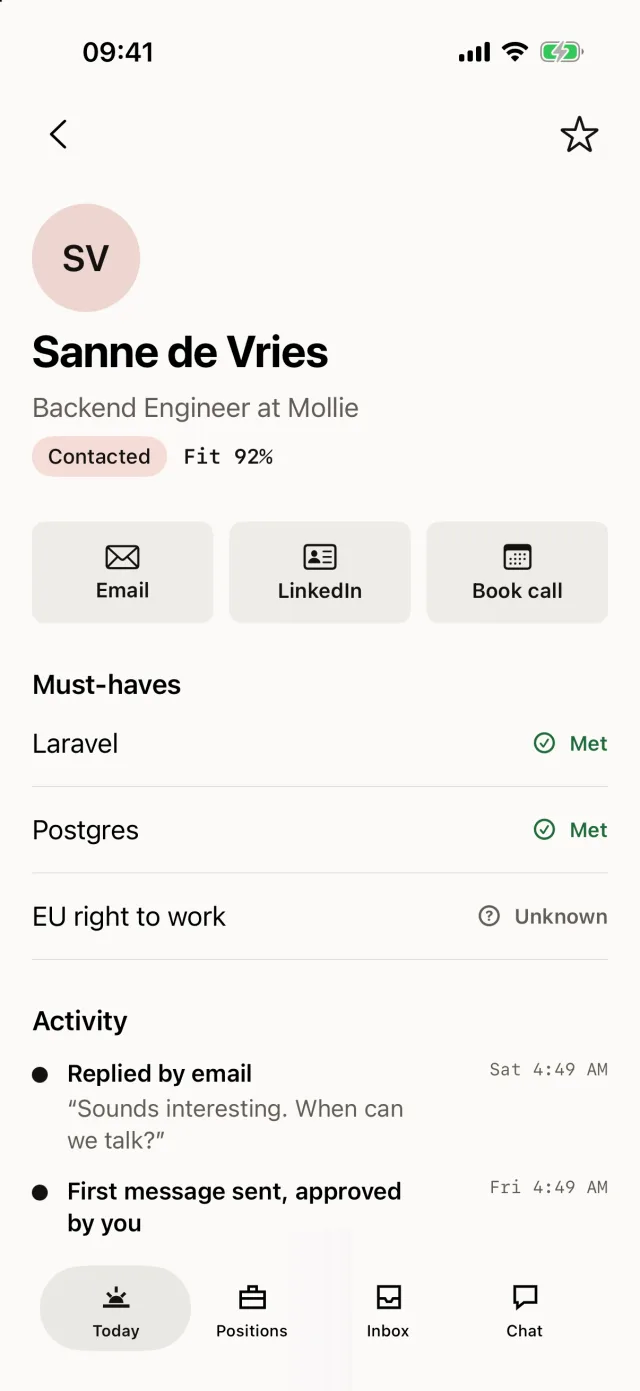
Every candidate shows which must-haves are met and what is still unknown, so you can decide on your phone.
- A fit score for every candidate
- Met or unknown for each must-have
- Honest gaps to ask about on the call
One account
Start on one device, pick it up on the next.
iPhone and iPad
iOS 18 or later
Approve, reply and book calls on the go.
App StoreMac
macOS 15 or later
Keyboard shortcuts, the menu bar and a drag-and-drop pipeline.
Mac App StoreWindows
Windows 10 and 11
Today, Inbox, Positions and Candidates, with Ctrl+K search.
DownloadWeb
Any modern browser
Everything, including your careers page and settings.
Start free
Questions
Good to know.
Is the Moments AI app free?
Yes. The app is free to download and your first open position is free, with no credit card needed. Paid plans add more open positions and monthly credits.
Which devices does the app run on?
iPhone and iPad with iOS 18 or later. There are also apps for Mac and Windows, and everything works in the browser.
Does it use the same account as the web app?
Yes. Sign in with the account you already have. Your positions, candidates and conversations are the same on every device.
Can Moments AI send messages without me?
Not first messages: you approve each one before it goes out, from your own mailbox or WhatsApp. If you turn on the scheduling agent, it replies to interested candidates to offer times and book the call.
Take your hiring with you.
Free to download. Your first open position is free, no credit card needed.