Moments for Mac and Windows
Your whole pipeline, on one screen.
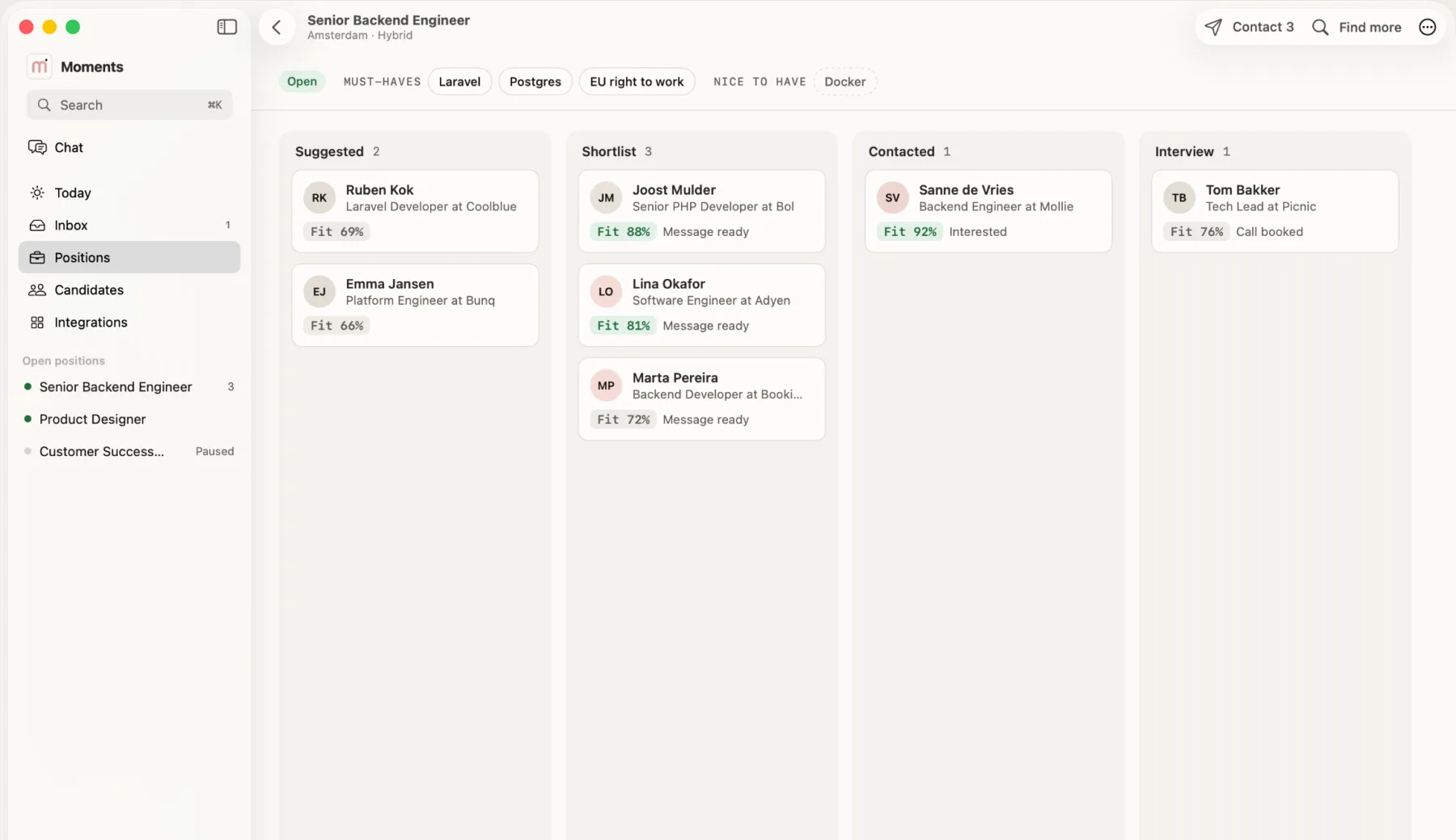
A desktop app for the hours you sit down to hire. Positions, conversations and candidates side by side, without another browser tab.
Free to download. For macOS 15 or later and Windows 10 and 11.
In short
Moments AI for Mac and Windows puts your positions, inbox and candidates in one window, with keyboard shortcuts. The Mac app is on the Mac App Store and the Windows app is a direct download, both free. They use the same account as the web and iPhone apps.
Today
See what needs you at a glance
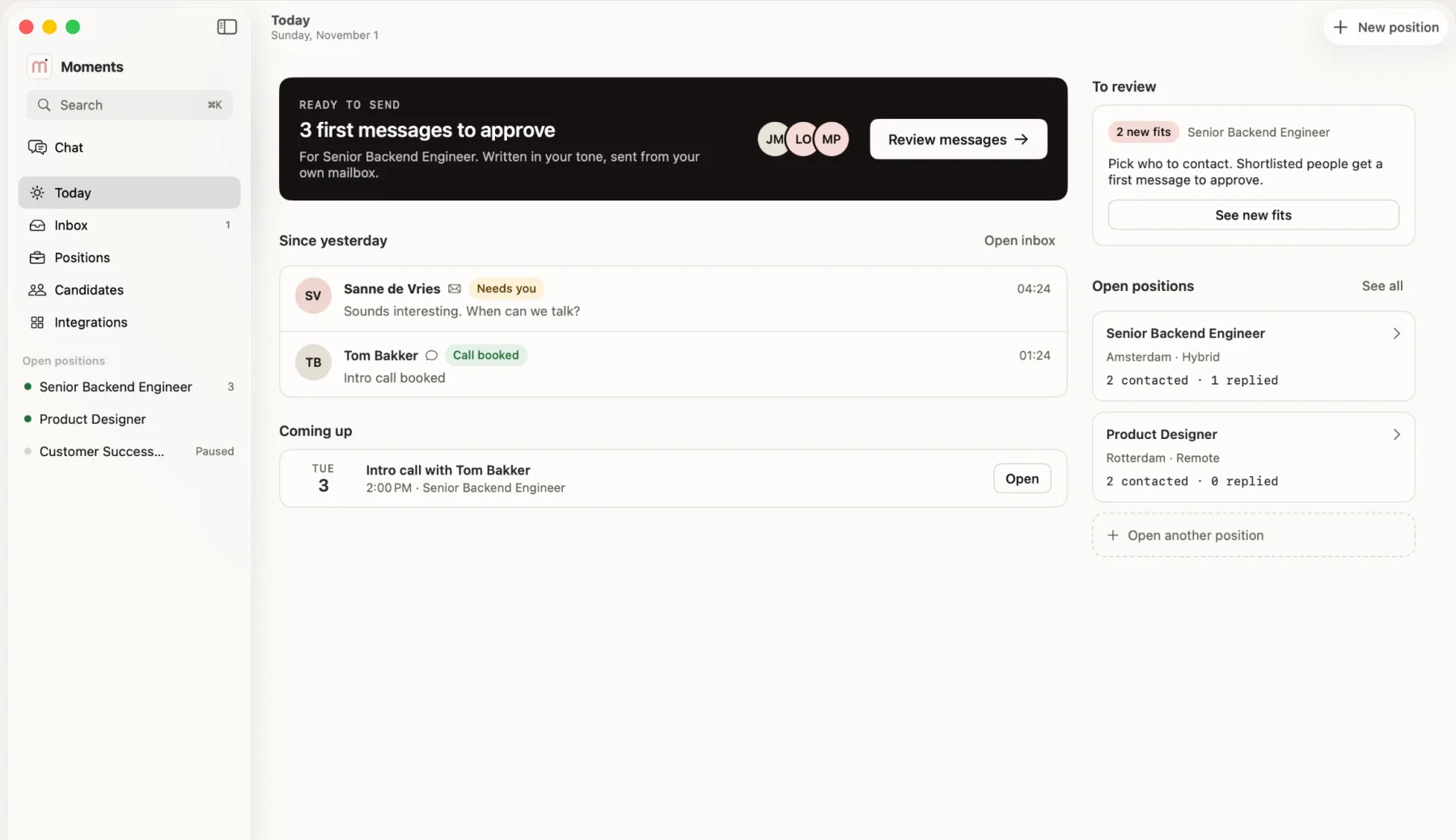
Today shows messages to approve, people to review, new replies and the calls coming up. On a Mac, the menu bar shows who is waiting for you.
- Messages waiting for your approval
- New replies since yesterday
- Calls coming up
Inbox
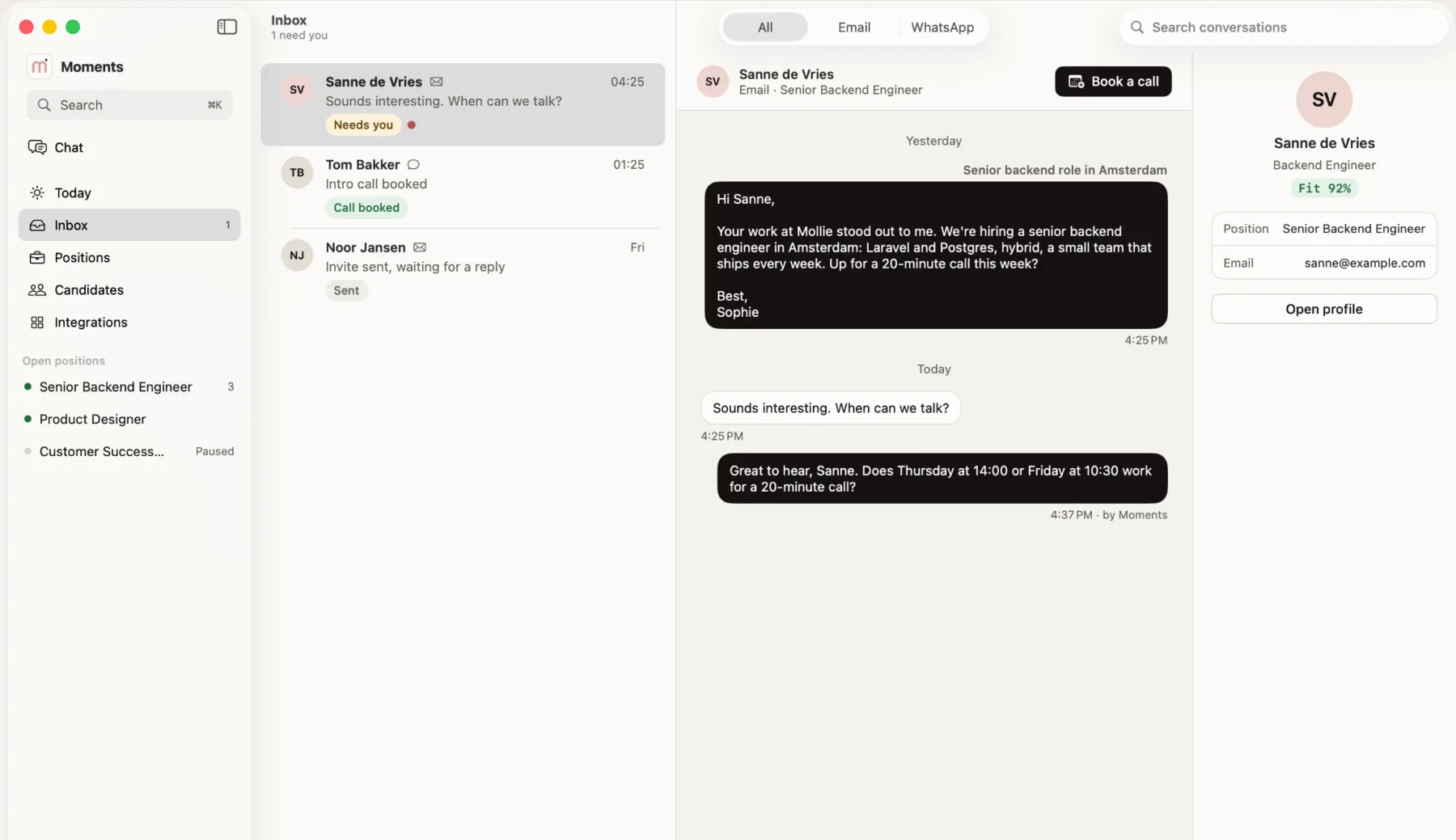
Inbox, thread and profile side by side
Read the conversation next to the candidate's profile, answer in place and book the call without leaving the window.
- Email and WhatsApp in one inbox
- Book a call from the thread
- Fit score next to the conversation
Keyboard
Built for the keyboard
Search everything from one shortcut and move between screens without touching the mouse. On a Mac, drag candidates from one stage to the next.
- ⌘KFind any person, position or action
- ⌘1–5Jump between Today, Inbox, Positions, Candidates and Integrations
- CtrlKThe same search on Windows
Windows
Now on Windows
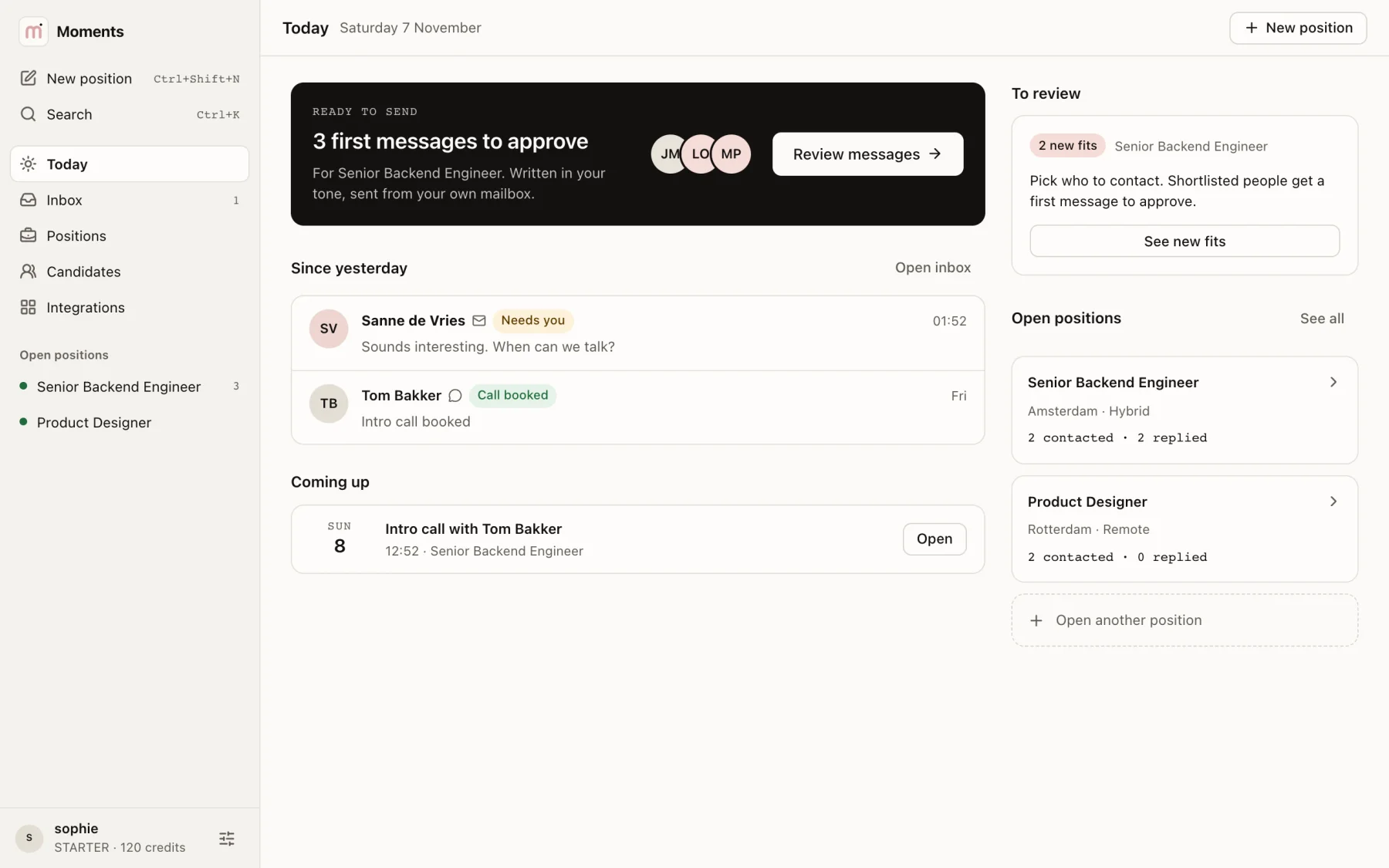
Moments AI for Windows has the same Today, Inbox, Positions and Candidates screens, and it updates itself in the background.
- For Windows 10 and 11
- Ctrl+K finds any person or position
- Your sign-in stays in Windows Credential Manager

One account
Start on one device, pick it up on the next.
Mac
macOS 15 or later
Keyboard shortcuts, the menu bar and a drag-and-drop pipeline.
Mac App StoreWindows
Windows 10 and 11
Today, Inbox, Positions and Candidates, with Ctrl+K search.
DownloadiPhone and iPad
iOS 18 or later
Approve, reply and book calls on the go.
App StoreWeb
Any modern browser
Everything, including your careers page and settings.
Start free
Questions
Good to know.
Is there a Moments AI app for Mac?
Yes. It is a native app on the Mac App Store, free to download, and it runs on macOS 15 or later.
Is there a Moments AI app for Windows?
Yes. Download the free installer for Windows 10 and 11. It uses the same account as your other devices and updates itself.
Why does Windows show a warning when I install the app?
The installer is not code-signed, so Microsoft SmartScreen may show "Windows protected your PC". Choose More info, then Run anyway. After that, the app only installs updates that carry our signature.
Does my subscription work on the Mac too?
Yes. One account and one subscription cover Mac, iPhone and iPad, and your positions and candidates stay the same on each.
Do I need the desktop app to use Moments AI?
No. The web app does everything you need. The desktop app adds keyboard shortcuts and a window of its own.
Give hiring its own window.
Free to download. Your first open position is free, no credit card needed.